
Most menu planner apps give you a calendar and ask you to fill it with meals. They are useful for keeping track of what you have already chosen.
The work comes before a recipe reaches the calendar. Someone still has to choose each dinner, check that it suits the household, and decide whether the week is realistic. A calendar organizes those decisions, but it does not necessarily make them.
What a menu planner app is actually built to do
Strip the category down to its mechanics and it’s a scheduling tool wearing a food costume. A calendar grid, seven or fourteen boxes wide. A library of saved or imported recipes, usually searchable by tag or ingredient, with a favorites tab for the ones that get cooked on repeat. Drag-and-drop or tap-to-assign, so a recipe lands on a day. Some versions bolt on a shopping list, built by pulling ingredients from whatever’s already sitting on the grid. That’s most of the feature list, dressed up a dozen different ways across a dozen different apps — a nicer font here, a color-coded tag system there, a “suggested for you” row that’s really just the recipes opened most recently.
None of that is a knock. Scheduling recipes onto a calendar is a logistics problem, and software is genuinely good at logistics problems, the same way a spreadsheet is good at a budget once the numbers already exist. Where the category runs out of road is the part right before scheduling ever starts, the part where somebody has to come up with the actual dinners worth putting on a grid in the first place. It has an opinion about where Tuesday’s dinner goes. It has no opinion about what Tuesday’s dinner is.
The 20% that’s actually easy
Arranging is the easy 20% of a week’s worth of dinners. A blank calendar box can look like disorganization from the outside, like somebody who just hasn’t gotten around to filling it in yet. Most of the time it’s a decision that hasn’t happened yet, sitting there waiting on somebody with the bandwidth to make it. The grid doesn’t know the difference between an empty box and a decision that’s been quietly avoided all week.
A menu planner app answers which night. It was never built to answer which dinner. That distinction sounds small until it’s Tuesday and the grid has an empty box, and an empty box has never once suggested anything to fill itself with.
Why the category stops at the calendar
The center of gravity in this category is the recipe library, not the week. Most menu planner apps started life as a place to save recipes: a screenshot, a link pasted in from somewhere, a card torn out of a magazine years ago, filed somewhere searchable at last. Scheduling got bolted on afterward, as a feature layered on top of a library that already existed, and it shows. The app is confident about storage. Ask it to hold two hundred recipes and it will, cheerfully, forever. Ask it to pick five worth cooking this week and it goes quiet, because picking was never the job it was built for.
That’s a perfectly fine thing for a recipe organizer to be. It’s a strange thing for a product sold as the answer to “what’s for dinner” to be, and most menu planner apps solve the wrong problem for exactly that reason. A Better Meal starts from the opposite end. A household gets fed by a finished plan, built from what the household actually eats, not by a calendar sitting there waiting for someone to feed it decisions one night at a time.
The decision a calendar can’t make for you
Deciding what to cook is its own job, and it looks nothing like scheduling. It means knowing what’s actually in the freezer, not just what’s on the recipe card. It means knowing who’s eating, and what they’ll eat without a fight. It means noticing that the last three dinners were all some version of the same thing, and doing something about that before a fourth one lands on the grid too.
The app has ground pork and bok choy stir-fry sitting on the calendar for the night in question. What it doesn’t have is a decision about whether that’s actually the right call this week: whether the portion in the freezer covers everyone eating, whether bok choy is a fight worth having with a six-year-old, whether a stir-fry survives being wedged in before a piano lesson. None of that is a scheduling problem. All of it is a deciding problem, and the calendar has nothing to say about any of it. It just holds whatever gets typed in.
Ground pork turns up on a lot of calendars three weeks out of four, not because anyone actually chose it, but because it’s the protein that’s always thawed, and nobody’s got the energy some weeks to think up a fourth option. A menu planner app doesn’t notice the repetition. It has an open box, and an open box gets filled with whatever’s easiest to type in at 6 PM with four other things happening. Deciding what to cook is its own job separate from scheduling it, and a lot of the fatigue people blame on “meal planning” is really just that job going unpaid and unnoticed, over and over, week after week. Psychologists have a name for the cost of making the same low-stakes decision on repeat: it’s the same mechanism behind the well-documented finding that too many small choices, made back to back, leave people more tired and worse at the choices that follow. The app hands the reader that exact workload and calls the grid finished.
What happens on the nights that don’t go as scheduled
A calendar assumes the week holds still once it’s filled in. Real weeks don’t. Somebody gets asked to stay late. A kid comes home with a permission slip due tomorrow and a project due Friday. The one ingredient the whole dinner hinges on turns out not to be there after all.
A store runs out of bok choy sometimes. Nobody told the app that, because there’s nothing to tell it, so the egg noodles that were supposed to go under the stir-fry are still sealed in the pantry, and dinner gets improvised standing in front of an open fridge instead. The one eating dinner who currently accepts only orange-colored food takes one look at the egg noodles on the calendar and vetoes it without a word. What was scheduled isn’t happening now, and the app has no mechanism for what comes next. Somebody has to re-decide, on the spot, with less time than the original decision had and less patience left to spend on it.
No particular app is doing anything wrong in a moment like that. This is simply what happens when a tool’s whole job is holding a decision in place, and the decision it’s holding stops being true partway through the week. A menu planner app has never claimed otherwise, not directly. But “plan your week” implies more than a filled-in grid, and a filled-in grid is where the promise quietly stops.
Where the grocery list gap shows up
The bolt-on shopping list is where the category’s actual scope shows up clearest. A recipe calls for egg noodles, so egg noodles get added to the list. The half a head of bok choy already sitting in the crisper does not, because the app has no way of knowing it’s there, so it gets bought again, while whoever’s shopping stands in produce trying to remember what’s already sitting at home. Ingredients that show up in two different recipes on the same week’s grid often get listed twice as well, since most versions of this list are built recipe by recipe rather than reading the week as a whole. Multiply that by a normal year of half-used vegetables going soft in the drawer, and a fair amount of it traces straight back to lists built with no view of the fridge they’re supposed to be replenishing.
A menu planner that also handles the grocery list closes part of that gap, but only the mechanical part: pulling ingredients off recipes and putting them on a list. Even where the list itself is accurate, nobody’s covering the actual trip. The app doesn’t know the store’s layout, doesn’t know which evenings allow for a stop on the way home and which don’t, and has no opinion about either. That part still belongs entirely to whoever’s driving.
What’s missing from the pitch, in almost every version of this category, is any claim about where the meals themselves came from, or about the trip that follows the list once it’s built. That’s the one part the category has quietly agreed to leave alone.
What the category never promises
Read enough of this category’s marketing and a pattern shows up. The copy talks about the calendar, the recipe search, sometimes a smart suggestion engine, and it never talks about the moment before any of that: the one where a person decided what “smart” dinner ideas were even worth suggesting in the first place.
That gap sits right at the edge of what the category is built to do. No amount of new grid features moves the edge, because the edge was never a bug. It’s the boundary of the job the app signed up for.
What a plan that actually holds looks like
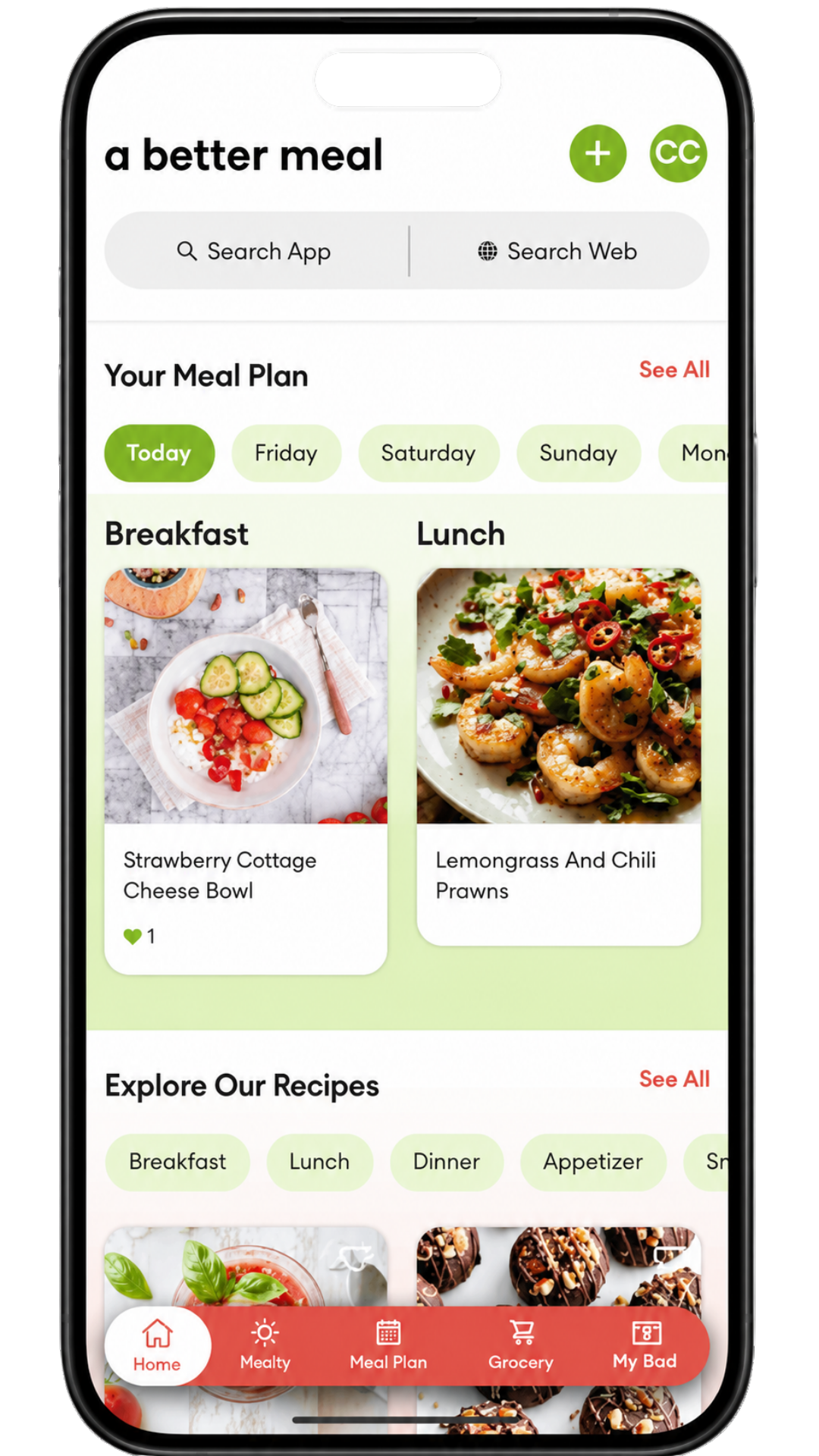
A menu planner app can schedule a decision. It can’t make one, and it has no way to notice when the decision it’s holding has already gone stale. A Better Meal starts further upstream: you tell it your goals, dietary preferences, allergies, foods to avoid, and what looks good, and it builds a dinner plan instead of handing back an empty grid and calling that the hard part solved.
The grocery side works the same way. The list is generated from the plan in one action, sorted by aisle, and editing it doesn’t unravel the plan underneath. Add something on the way through the store, drop something else, and the week doesn’t need re-planning to absorb it. See how the full week comes together before it ever reaches the calendar.
That same plan is built to absorb the nights that don’t go as scheduled, too. The store’s out of something, a meeting runs long, one household member is suddenly only eating orange food again — swap the night, push it to tomorrow, or lean on whatever’s already thawed, and the rest of the week resettles around it instead of needing to be rebuilt from nothing.
None of this takes the choosing away from the household. The plan is a starting point, not a fixed schedule nobody’s allowed to touch. Swap Wednesday for something else. Push Thursday’s dinner to Friday. Or leave the whole week exactly as it landed and just cook. What changes is where the deciding happens: once, when the plan gets built, instead of night after night, staring at whichever box on the grid is still empty.
Stop replanning every Monday. A Better Meal does the plan once.